There are games you remember because they were good, and games you remember because of where you were when you played them. Dangerous Dave is both for me. I played a lot of it as a kid, and then a lot of it again in high school, where it was one of the few games that ran on the school’s machines and half the class had played it to death. Ask me about any level of it and I can probably still tell you where the fire is.
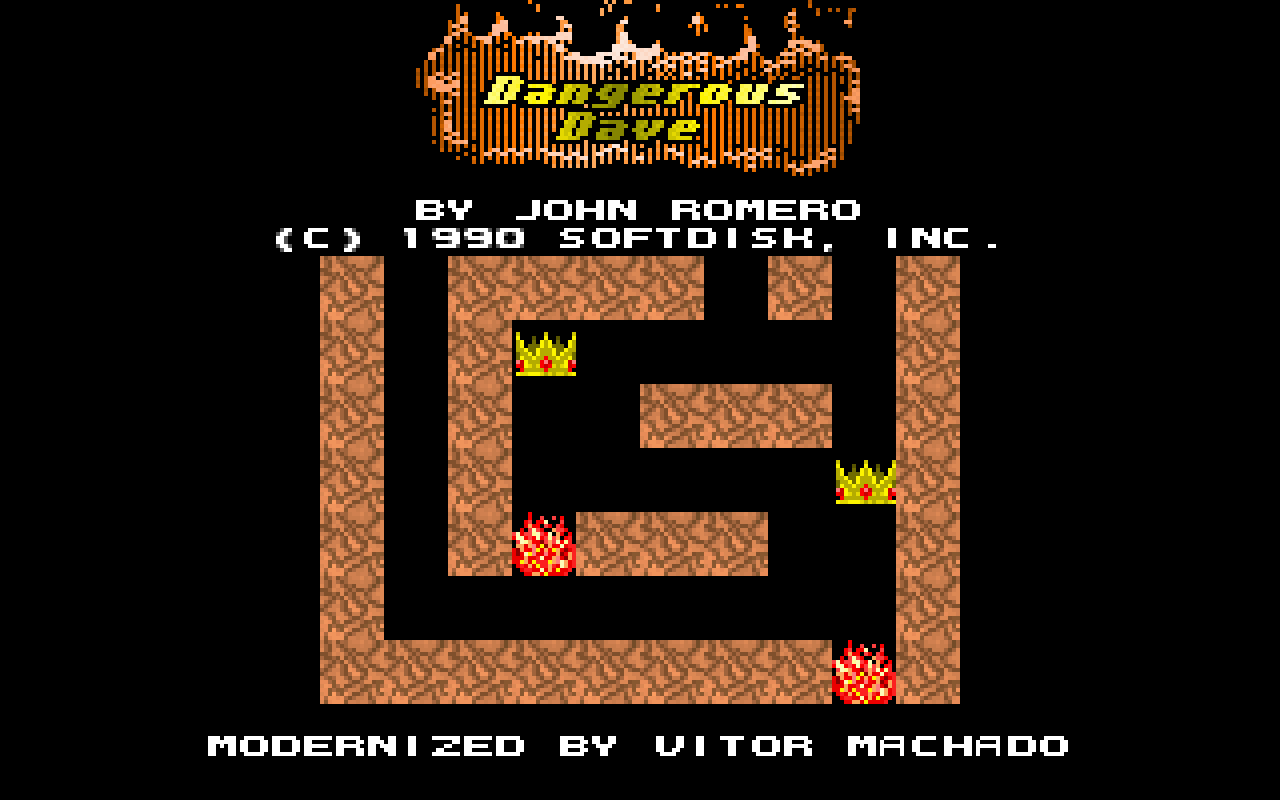
The title screen, with one extra line at the bottom
For those who never ran into it: it’s a 320x200 platformer by John Romero, released in 1988 by Softdisk, with support for both EGA and VGA. You are Dave, a guy in a red cap, and every level is a small puzzle: grab all the diamonds to open the door, dodge the fire, the water and the monsters, and use the jetpack and the gun you find along the way. Ten levels, four warp zones hidden off the edge of the world, and a level format that fits in 1280 bytes.
The itch came back with a very specific shape when I got a Steam Deck. I wanted to play this on the couch, on a plane, with a controller, filling the screen, without a ritual. Which is exactly what other old games have been getting for years now: source ports, decompilations, recompilations. The Super Mario 64 port, DevilutionX for Diablo, the Zelda 64 recompilations, and so on. Somebody takes the game, figures out what the original was actually doing, and gives it a native engine that behaves like software from this decade. There was no reason Dangerous Dave shouldn’t have the same treatment.
Now, I could already play it today. DOSBox runs it fine. But you’re emulating a whole PC to run one small game: the aspect ratio is wrong on a modern screen (320x200 was shown on a 4:3 CRT, where the pixels were taller than they were wide, so it either gets stretched or pillarboxed), the controller is a mapping file, the settings are a config file you edit by hand, and nothing is remembered between runs. I wanted the game itself, native, small, and pleasant to use.
What it does now
The short version: it is one executable that reads the game’s own resources, with no emulator and nothing to install.
Any display, any aspect ratio
The viewport grows with the screen instead of stretching the picture, so a wide window shows you more of the level rather than a flattened one. Everything is scaled by whole numbers, so the pixels stay square and sharp, and a level narrower than the viewport is centered with black on the sides. F5 (or the pause menu’s SCALING row) switches to filling the whole screen, and the window is resizable.
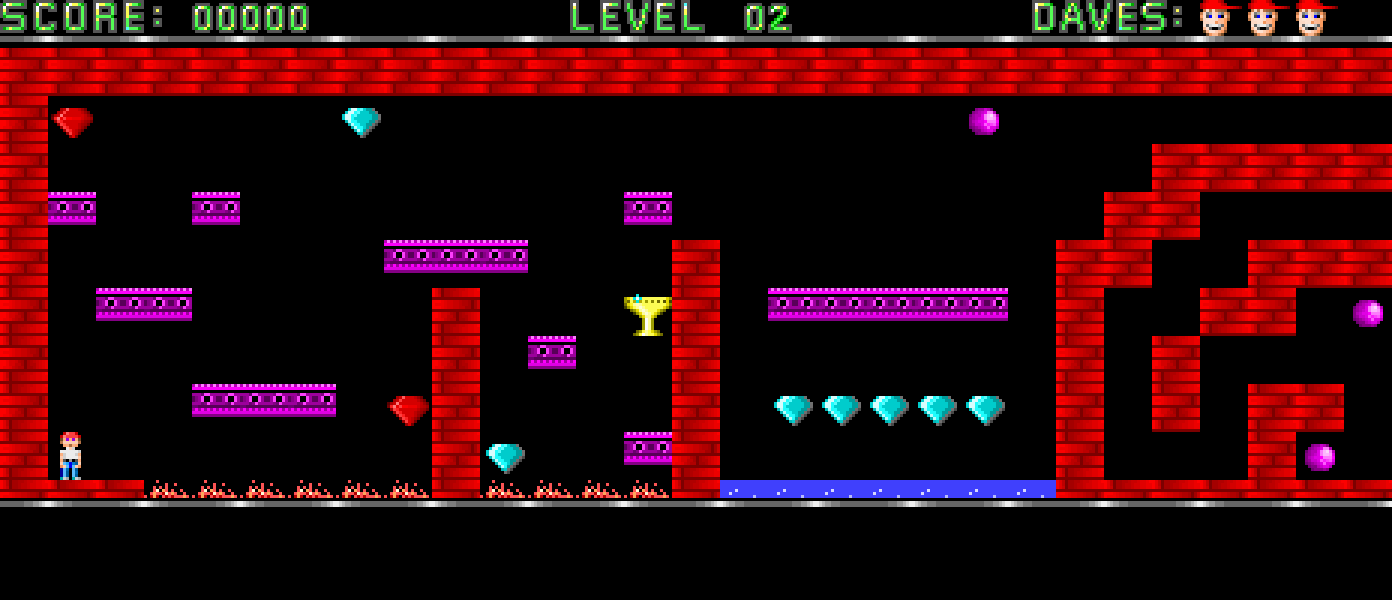
All of level 2, on a window wide enough to hold it. The original shows you 320 pixels of this
A pause menu with the settings that matter
Escape (or Start on a controller) opens it while playing: V-SYNC, an FPS LIMIT of 30/60/120/refresh/unlimited, the MODE (full screen or windowed), the SCALING, the FILTERS row, a WARP row that jumps straight to any level, and QUIT. Everything except WARP is kept between runs, in a config.ini in the system’s per-user application folder. The game writes nothing next to itself, which matters on Windows and on macOS, where an installed app lives somewhere it isn’t allowed to write.
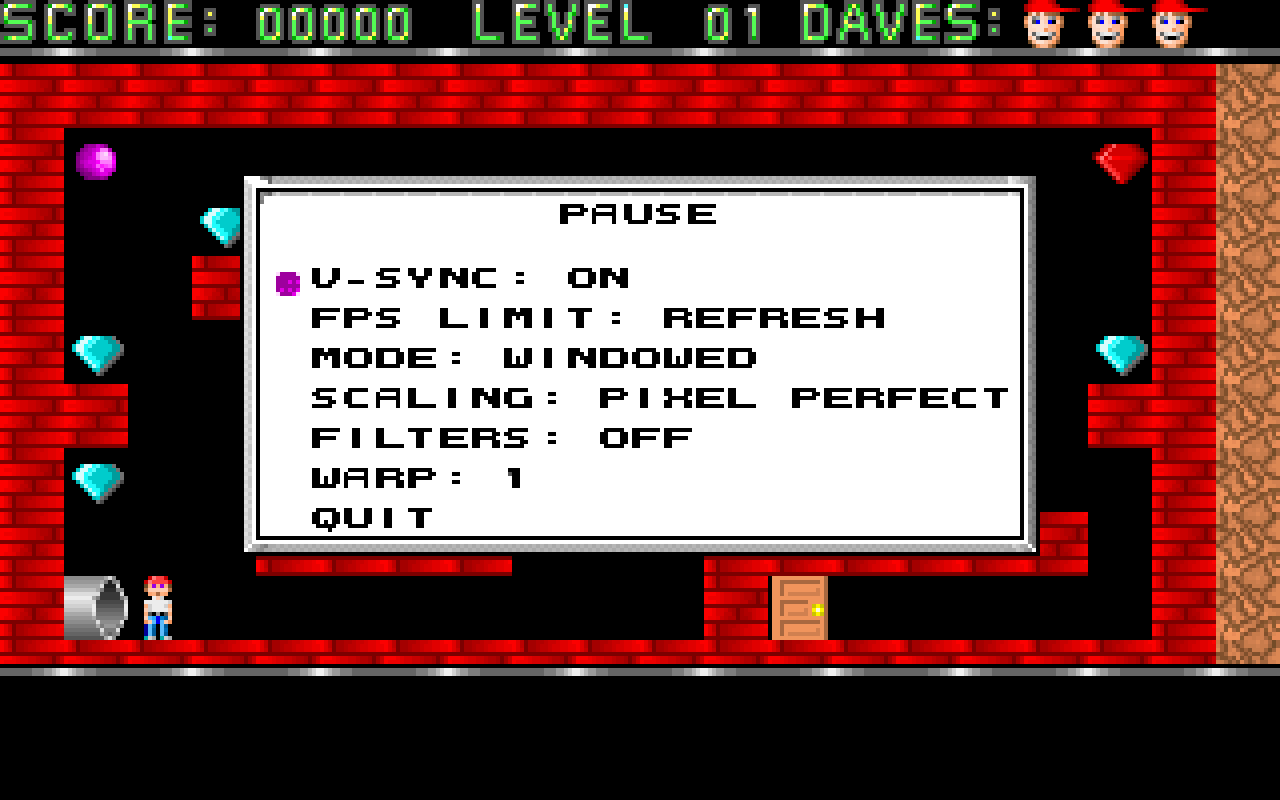
The pause menu. Notice the colons, we'll get back to those
CRT filters
The FILTERS row cycles through plain, scanlines, a port of Blargg’s snes_ntsc composite filter (rainbow fringing and color bleeding, exactly the things a TV did to the signal), or both. The NTSC palette table is built the first time you enable it, which is a visible pause of about a second, and it costs around 16 MB.
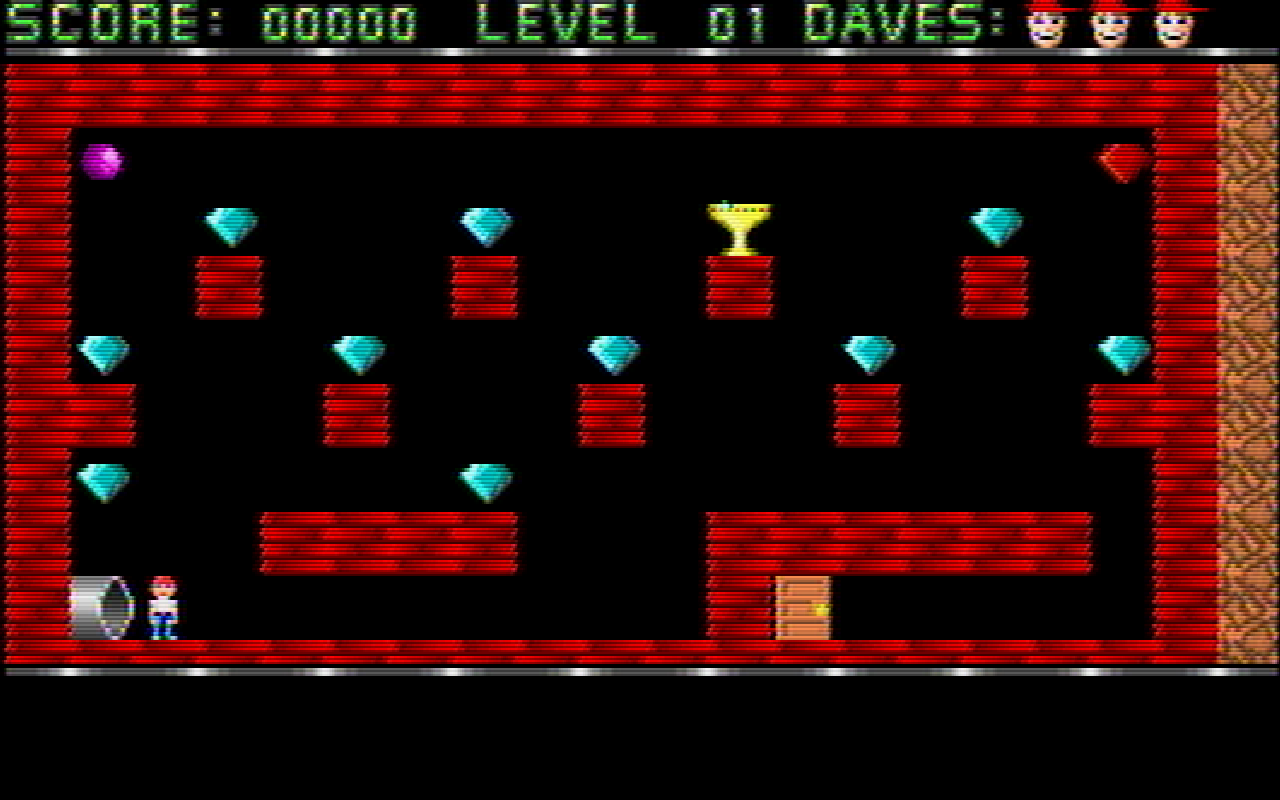
Scanlines, at twice the source height, as if 320x200 were being shown on a 640x400 screen
Perfect on a Steam Deck
This was the whole point, so it gets its own paragraph. The Deck’s screen is 1280x800, which is exactly 4 times 320x200: the picture is pixel perfect with no stretch and nothing cut off, and the built-in controls are picked up as a gamepad, so the title screen and the pause menu work without touching the keyboard. Copy the Linux build over, add it as a non-Steam game, and it plays the same in Gaming Mode as on a desktop.
The whole game
All ten levels, all four bonus warp zones (each one the full original map), the intro, the ending screen and the sound effects, all decoded from the game’s own data.
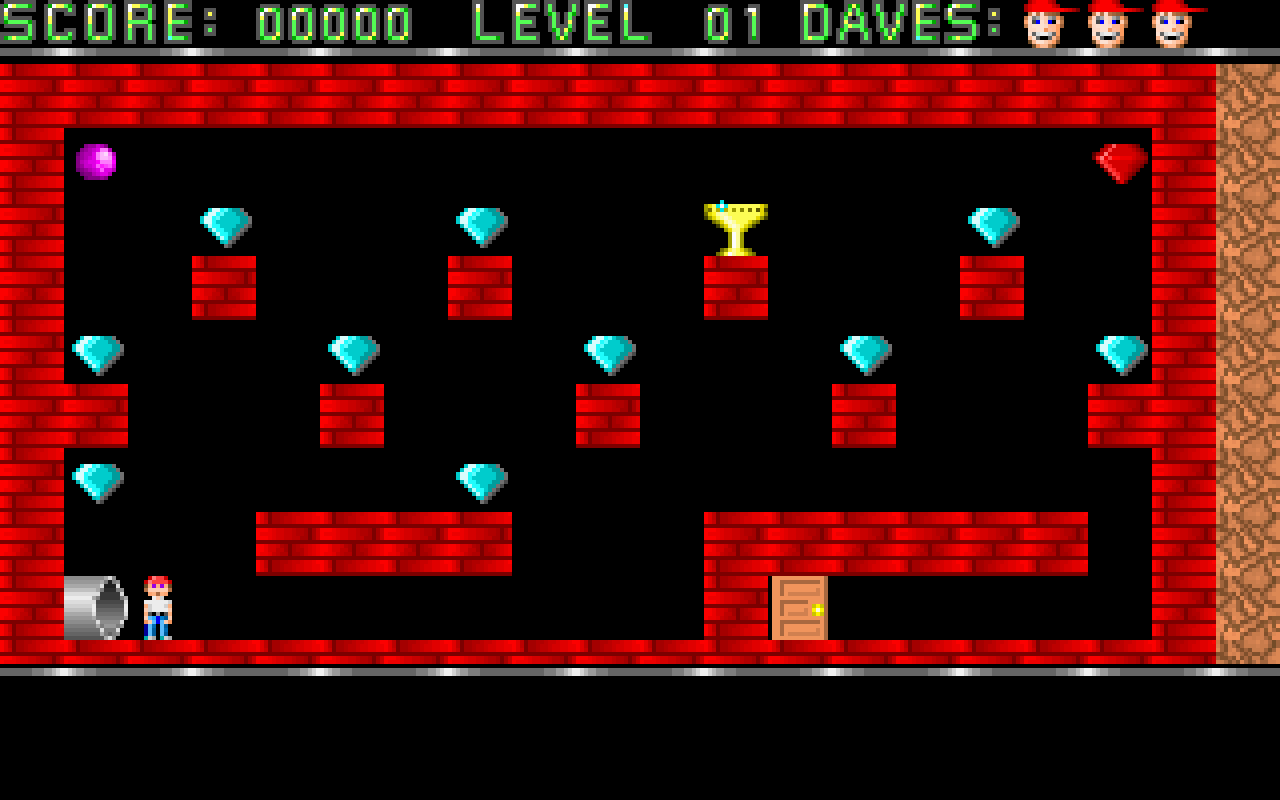
Level 1, where everybody's journey starts
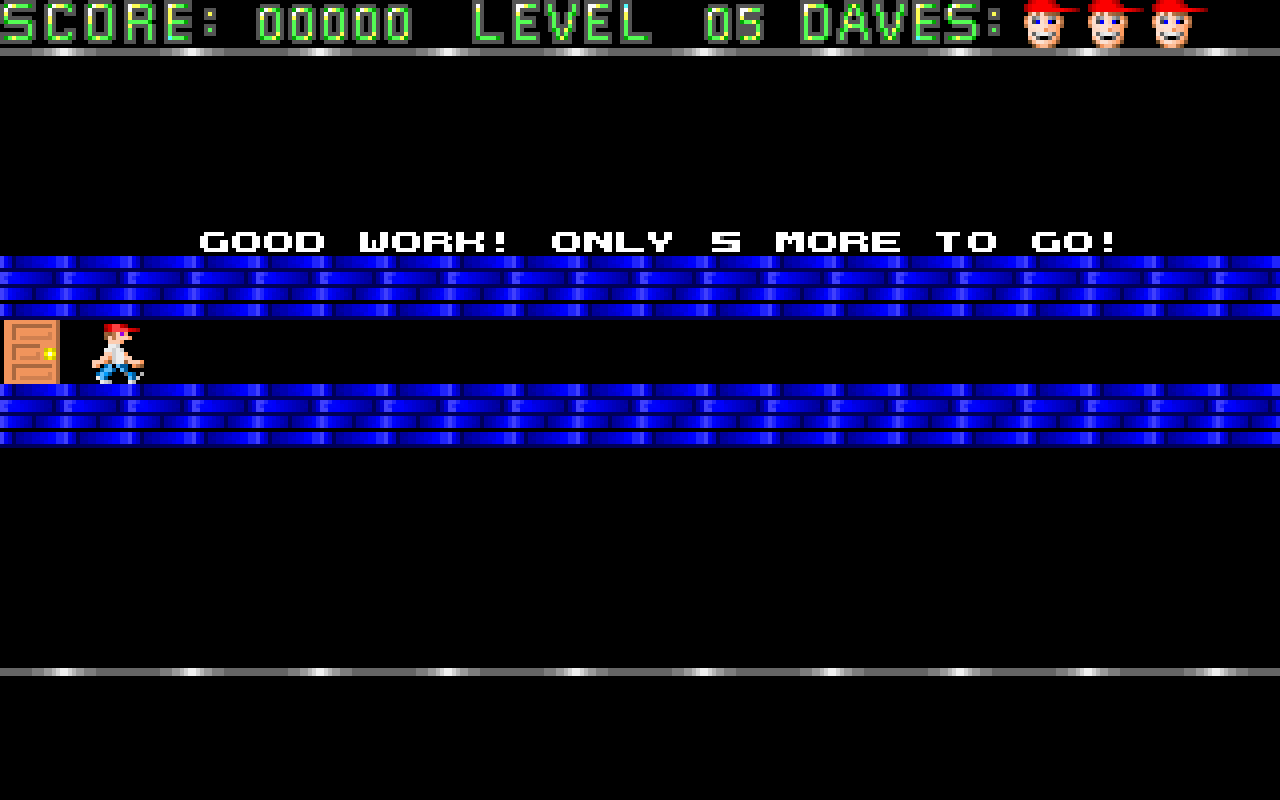
Back from a warp zone, and the game is judging you
The parts that were actually interesting
The data was inside the executable
None of this is in a nice text format somewhere: the levels are sitting inside DAVE.EXE, compressed with LZEXE. The format is documented on the ModdingWiki, which is how I got a decoder written for it: ten 1280-byte chunks, each one 256 bytes of “path” data plus a 100x10 tile grid and 24 bytes of padding, with a separate table for the monsters, one for the warp zones and one for where Dave starts on each level.
A chunk can actually hold two levels, the main one on the left and a warp zone on the right, which is why the warp levels share their chunk with a regular level. What comes out is the .ddt files in the game’s resources: the chunk transposed, one line per column, a comma separated tag per row. A D in there spawns Dave.
The fun part of doing this is that you can check it. Render every cell of the .ddt back to its tile byte and compare it against the original chunk: it has to match everywhere. Then run the original in DOSBox next to your build and compare the pictures. That’s how I found things like the tree corners being swapped (the tags TR3 to TR6 are not in the order you would guess), or a guard that I had missing on level 8.
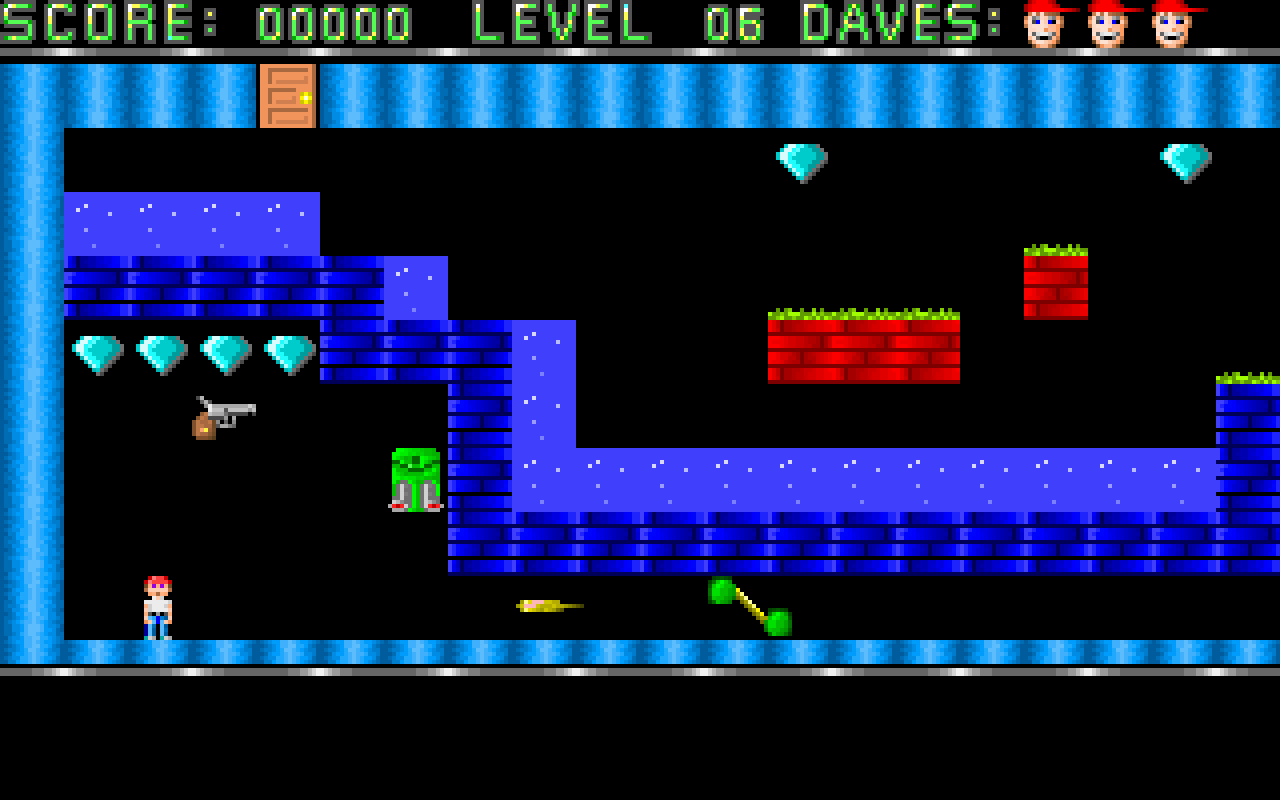
Level 6, with the gun, the guards and the blue caverns
The game runs on two clocks
The game moves in discrete 14 millisecond steps, and that step is the game’s speed: every movement, animation, timer and monster tick is one step. If you change it, you change the whole game. The frames, on the other hand, should go out at whatever the display’s refresh rate is. So the two are separated: every frame the loop asks how many 14 ms steps have come due and runs the state machine that many times, while everything that belongs to the frame (the presentation, the filters) runs once.
The frame budget comes from the display itself, not from a constant, because the window can be dragged to another monitor with a different refresh rate. It aims a hair under one refresh on purpose: aim over and the loop drifts past each blank a little more every frame until it drops one, which is a hitch every few seconds; aim under and it never sleeps at all, and V-SYNC alone decides when the frame goes out. I am not going to pretend this part was not fiddly, but it’s the difference between a game that feels right and a game that feels almost right.
Three screens were drawn for 320 pixels
The intro, the ending and the warp corridor were authored as 320x200 pictures and then, in the original, drawn on a 320x200 screen. On a window twice as wide, stretching them would look wrong, so they are centered instead. The warp corridor is the clearest case: it is a 20-column-wide corridor, and the walk across it ends at a fixed point in the level’s coordinates, twenty pixels short of the original screen’s 320, so the intermission lasts exactly as long as it did on a 4:3 monitor and not one step more just because your window is wide.
The ending screen got the most attention, because it is the one people actually read. Its frame of grails is sized around the text rather than the window: the widest line and the block of lines, four pixels of air around them, rounded up to whole tiles and framed by one more on every side. The grails then walk their five animation frames in a wave around the box, each one a frame further along than its neighbor, instead of all of them glowing in step. And the box is centered on the scene between the two HUD bars, not on the framebuffer, because this is the one screen with no HUD on it and the framing is what makes it look centered rather than nine pixels low.
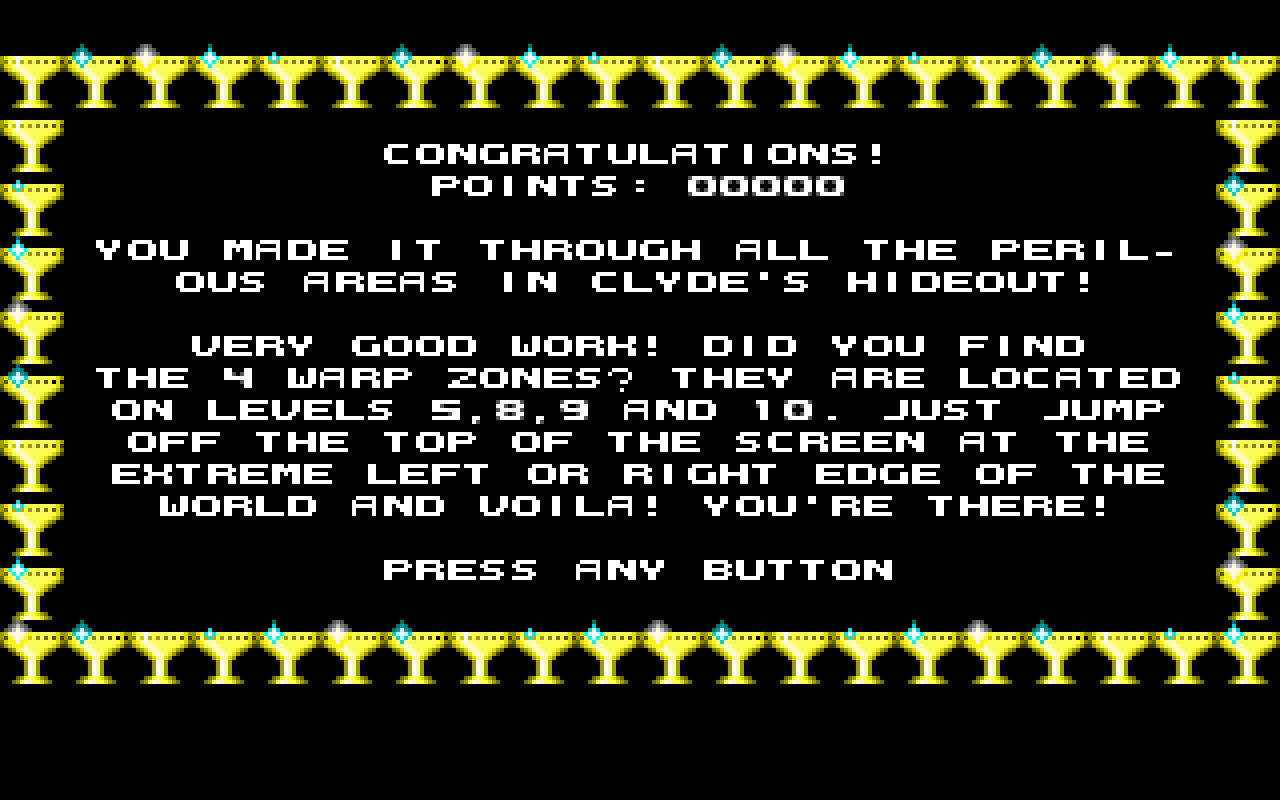
The ending, with the score you ended on and the grails traveling around the frame
A colon was missing
The font in the game is a set of 8x6 glyph tiles, and the original never needed a colon, so there wasn’t one. That was invisible until I put a POINTS: 00000 line on the ending screen and got a suspiciously wide gap in the middle of it. It turns out every “LABEL: value” line in the game was drawing a hole where the colon should be, the pause menu rows included, and I had never noticed. Two more glyph tiles (one white, one black) and one entry appended to the character list, and every label in the game is a bit less mysterious.
On the fact that a robot wrote most of this
I should be upfront about it, because the README says it too: most of the code in this modernization was written by AI coding agents, working on top of the existing port, with me driving. I decided what the game should do, what the priorities were, what looked wrong on screen, and I checked the result by playing it. The agents did the typing, and a fair amount of the archaeology.
My honest opinion is that this kind of project is a very good fit for that arrangement. The domain is small and closed (one game, one screen, a level format that fits in 1280 bytes), the reference implementation is available and can be run side by side to compare, and nearly every change can be verified objectively, by comparing pixels or bytes against the original. It is a long tail of small, checkable tasks, which is exactly where these tools are useful and where a human reviewer can still keep up.
What has not changed is that you need to know what you want and to actually look at the result. Every screenshot in this post came out of the game being run and inspected, usually after the first attempt did something subtly wrong.
Getting it
The releases are on GitHub, packaged for Windows, macOS (a universal app you drag to Applications) and Linux:
- • Windows: unzip
deadly-dave-windows-x86_64.zipand run the executable; - • macOS: unzip
deadly-dave-macos-universal.zip, dragDeadly Dave.appto Applications; - • Linux: unpack
deadly-dave-linux-x86_64.tar.gzand run./deadly-dave.
On a Steam Deck, take the Linux one, extract it somewhere, and add the binary as a non-Steam game. That’s it, the Deck’s controls are picked up as a gamepad and it works in Gaming Mode.
Resources
- • The repository
- • The releases
- • The level format on the ModdingWiki
- • Blargg’s NTSC filter
- • skoperst’s port, which this one is forked from
Conclusion
I hope this was useful to you, and if you also played this at school, I hope it’s as nice to have it back as it was for me. Feel free to contact me using the Disqus chat below!